
Introduction
Virtual machine availability is a critical requirement for many VMware environments. vSphere High Availability helps protect workloads by automatically restarting affected virtual machines when an ESXi host becomes unavailable.
This guide explains the basic HA architecture and the key configuration areas that should be validated before enabling it in production.
INFO
High Availability improves workload resilience, but it does not replace application-level redundancy or a complete disaster recovery strategy.
1. Understand vSphere HA
vSphere HA operates at the cluster level and monitors ESXi hosts and virtual machines.
When a host failure is detected, HA can restart affected virtual machines on surviving hosts.
A typical architecture looks like:
          vSphere Cluster
                |
      ---------------------
      |         |         |
     ESXi      ESXi      ESXi
      |         |         |
     VMs       VMs       VMs
2. Prepare the Cluster
Before enabling HA, verify:
- All hosts are connected.
- Hosts use supported versions.
- Management networking is operational.
- Shared storage is available where required.
- DNS configuration is correct.
- Host time is synchronized.
Resolve configuration inconsistencies before proceeding.
3. Configure Admission Control
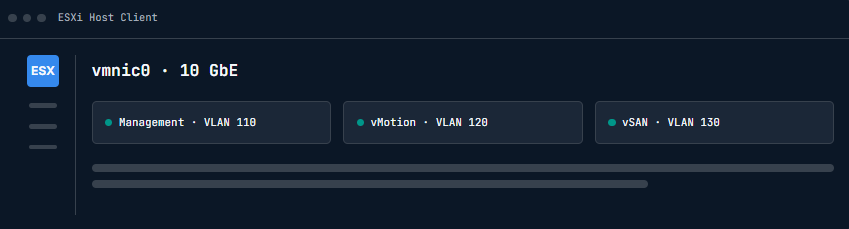
Admission Control ensures that sufficient cluster resources remain available to restart workloads after a host failure.
Consider:
- Number of host failures to tolerate.
- CPU capacity.
- Memory capacity.
- VM restart requirements.
The appropriate policy depends on the expected workload and cluster size.
WARNING
A cluster that is already operating near its resource limits may not have enough capacity to restart all workloads after a host failure.
4. Configure VM Restart Priorities
Not every workload has the same business importance.
Define restart priorities for:
- Infrastructure services.
- Databases.
- Application servers.
- Monitoring systems.
- Development workloads.
Critical infrastructure should generally be available before lower-priority systems.
5. Validate HA Health
After enabling HA, review cluster health.
Check:
- Host status.
- HA agent status.
- Network connectivity.
- Datastore accessibility.
- Admission Control.
- Configuration warnings.
Correct all critical errors before relying on HA for production workloads.
6. Test the Configuration
A controlled test can verify that the configuration behaves as expected.
Document:
- Test workload.
- Test host.
- Expected recovery behavior.
- Actual recovery time.
- Observed issues.
- Remediation steps.
Do not perform uncontrolled failure testing in a production environment.
Conclusion
vSphere HA provides an important layer of workload resilience by automatically restarting virtual machines after host failures. Proper cluster preparation, admission control, restart priorities, and controlled testing are essential for a reliable HA implementation.