Introduction
Performance problems in virtualized environments can originate from CPU, memory, storage, networking, or application-level workloads. Effective troubleshooting requires a structured approach rather than immediately changing configuration values.
This guide provides a practical process for identifying common ESXi performance issues.
INFO
Collect performance data before making configuration changes. Baseline information makes it easier to identify the actual source of a problem.
1. Start With the Host Baseline
Record the current host configuration.
Review:
- CPU model.
- Installed memory.
- NIC configuration.
- Storage devices.
- ESXi version.
- Active workloads.
Use:
esxcli system version get2. Review CPU Utilization
High CPU usage does not always indicate a host problem.
Check:
- CPU utilization.
- CPU ready time.
- Co-stop.
- VM demand.
- Host contention.
Compare current values with historical performance whenever possible.
WARNING
Increasing virtual CPU allocations without understanding workload demand can make CPU scheduling problems worse.
3. Review Memory Usage
Memory pressure can affect virtual machine performance.
Look for:
- Memory consumption.
- Ballooning.
- Compression.
- Swapping.
- Overcommitment.
If memory pressure is persistent, identify which workloads are consuming the largest amount of memory.
4. Investigate Storage Performance
Storage latency can create significant application performance problems.
Review:
- Datastore latency.
- Device latency.
- IOPS.
- Throughput.
- Queue depth.
List storage devices:
esxcli storage core device listIdentify whether the problem affects one VM, one datastore, or the entire host.
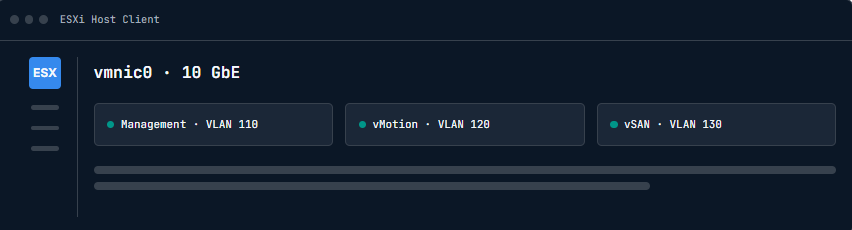
5. Check Network Performance
Network issues can appear as application latency or connectivity problems.
Review:
- Packet drops.
- NIC errors.
- Link speed.
- Duplex.
- MTU.
- Physical switch ports.
List physical adapters:
esxcli network nic list6. Document the Findings
Create a troubleshooting record containing:
- Symptoms.
- Start time.
- Affected workloads.
- Performance measurements.
- Configuration changes.
- Results.
This helps identify recurring issues and provides useful information for future incidents.
Conclusion
Effective ESXi performance troubleshooting requires a methodical approach across CPU, memory, storage, and networking. Establishing a baseline and collecting evidence before making changes makes it easier to identify the actual source of performance problems.